




Hey there, fellow web enthusiasts! Are you ready to dive into the world of Core Web Vitals and supercharge your website’s performance? Well, buckle up because we’re about to embark on an exciting journey that’ll transform your site from a sluggish snail to a speedy gazelle in the digital savanna.
In today’s fast-paced online world, user experience is king, and Google’s Core Web Vitals are the royal decree. These metrics aren’t just another set of fancy acronyms to throw around at dinner parties (though they might impress your tech-savvy friends). They’re the secret sauce to improving your page experience signals and, ultimately, your search engine rankings.
So, grab your favorite beverage, get comfy, and let’s unravel the mysteries of Core Web Vitals together. Trust me, by the end of this article, you’ll be dropping LCP, FID, and CLS in conversation like a pro, and your website will thank you for it!
Core Web Vitals: Improving Page Experience Signals for Better Rankings
Alright, let’s cut to the chase. What exactly are Core Web Vitals, and why should you care? Well, imagine them as your website’s report card, grading how well it performs in the eyes of both users and search engines.
Core Web Vitals are a set of specific factors that Google considers important in a webpage’s overall user experience. They’re part of Google’s Page Experience signals, which are used to evaluate the quality of a user’s experience when interacting with a web page. In simpler terms, they’re like the cool kids in school that everyone wants to impress – in this case, it’s Google you’re trying to woo.
These vitals focus on three aspects of user experience: loading, interactivity, and visual stability. Each of these aspects is represented by a specific metric:
- Largest Contentful Paint (LCP) – loading performance
- First Input Delay (FID) – interactivity
- Cumulative Layout Shift (CLS) – visual stability
By optimizing these Core Web Vitals, you’re essentially rolling out the red carpet for your users, ensuring they have a smooth, enjoyable experience on your site. And guess what? Google loves it when you treat its users well!
What Are Core Web Vitals?
Now that we’ve got the basics down, let’s dive deeper into each of these Core Web Vitals. Think of them as the three musketeers of web performance – all for one and one for all!
Largest Contentful Paint (LCP)
LCP measures the time it takes for the main content of a page to load. It’s like waiting for the star of the show to appear on stage – you want it to happen quickly to keep the audience engaged. Google recommends an LCP of 2.5 seconds or faster.
First Input Delay (FID)
FID measures the time from when a user first interacts with your site (like clicking a link or tapping a button) to the time when the browser is actually able to respond to that interaction. It’s like the response time of a good friend – you want it to be quick and attentive. Google suggests an FID of 100 milliseconds or less.
Cumulative Layout Shift (CLS)
CLS measures the amount of unexpected layout shift of visual page content. It’s like trying to read a book where the words keep jumping around – annoying, right? Google recommends a CLS score of 0.1 or less.
Understanding these metrics is crucial because they directly impact how users perceive your site. A slow-loading page, unresponsive buttons, or a layout that shifts unexpectedly can frustrate users and send them running to your competitors faster than you can say “Core Web Vitals.”
Why Page Experience Matters
You might be wondering, “Why all this fuss about page experience?” Well, let me tell you, it’s not just about making Google happy (although that’s certainly a perk). It’s about creating a website that users love to visit and interact with.Think about it.
When was the last time you stuck around on a website that took ages to load, had buttons that didn’t respond, or had content jumping all over the place? Probably never, right? That’s exactly why page experience matters. A good page experience:
- Reduces bounce rates
- Increases time on site
- Improves conversion rates
- Boosts user satisfaction
- Enhances brand perception
But here’s the kicker – it also matters for SEO. In 2021, Google officially included page experience signals in its ranking algorithms. This means that sites offering a better user experience now have an edge in search engine results pages (SERPs).So, by focusing on Core Web Vitals and improving your page experience signals, you’re not just making your users happy – you’re also giving your site a better chance to rank higher in search results. It’s a win-win situation!
Understanding LCP (Largest Contentful Paint)
Let’s zoom in on our first Core Web Vital: Largest Contentful Paint (LCP). Remember, this is all about how quickly the main content of your page loads. But what exactly constitutes “main content”? LCP typically refers to the largest image or text block visible within the viewport. This could be:
- A large hero image
- A heading
- A main text block
So, how can you improve your LCP? Here are some strategies:
- Optimize your images: Compress images, use modern formats like WebP, and consider lazy loading for images below the fold.
- Minimize CSS: Remove unnecessary styles and minify your CSS files.
- Utilize server-side rendering: This can help display content faster, especially for JavaScript-heavy sites.
- Implement caching: Both browser and server caching can significantly speed up load times for returning visitors.
- Use a Content Delivery Network (CDN): This can help serve content from servers geographically closer to your users.
Remember, the goal is to get your LCP under 2.5 seconds. It might seem challenging, but with these strategies, you’ll be well on your way to achieving lightning-fast load times that’ll make both Google and your users do a happy dance!
Understanding FID (First Input Delay)
Next up in our Core Web Vitals trio is First Input Delay (FID). This metric is all about interactivity – how quickly your site responds when a user tries to interact with it. It’s like the reflexes of your website.
You want them to be sharp! FID measures the time from when a user first interacts with your page (like when they click a link, tap on a button, or use a custom, JavaScript-powered control) to the time when the browser is actually able to respond to that interaction.
Why is this important? Well, imagine clicking a button and… nothing happens. Frustrating, right? That’s what a poor FID feels like to your users.
Here are some ways to improve your FID:
- Minimize (or defer) JavaScript: Large JavaScript files can block the main thread and increase FID. Try to minimize your JS usage or defer its loading.
- Remove any non-critical third-party scripts: Third-party code can significantly impact your FID.
- Use a web worker: This allows you to run script operations in background threads, reducing their impact on the user interface.
- Reduce JavaScript execution time: Optimize your code to run more efficiently.
- Break up Long Tasks: Any task that takes more than 50ms is considered a “long task”. Break these up into smaller, asynchronous tasks.
The target is to have an FID of 100 milliseconds or less. It might seem like a blink of an eye, but in the digital world, it can make all the difference between a frustrated user and a happy one!
Understanding CLS (Cumulative Layout Shift)
Last but certainly not least in our Core Web Vitals trifecta is Cumulative Layout Shift (CLS). This metric measures visual stability – how much your page layout shifts unexpectedly as it loads.
You know that annoying moment when you’re about to click a button, and suddenly the page shifts, and you end up clicking something else? That’s a layout shift, and it’s exactly what CLS aims to measure and minimize.
CLS is calculated by looking at the viewport size and the movement of unstable elements in the viewport. Google recommends keeping your CLS score under 0.1.Here are some tips to improve your CLS:
- Set size attributes on images and video elements: This ensures the browser knows how much space to allocate for these elements before they load.
- Avoid inserting new content above existing content: Unless in response to a user interaction, this can cause unexpected layout shifts.
- Use transform animations instead of animations of properties that trigger layout changes: This can help maintain visual stability.
- Preload fonts: This can prevent text from shifting as custom fonts are loaded.
- Reserve space for ads: If you’re using ads, always reserve space for them in your layout to prevent shifts when they load.
Remember, a stable layout makes for a much more pleasant user experience. By minimizing unexpected shifts, you’re showing your users that your site is reliable and professional.
Tools to Measure Core Web Vitals
Now that we’ve covered what Core Web Vitals are and why they’re important, you might be wondering, “How do I actually measure these things on my site?” Don’t worry, I’ve got you covered!
There are several tools available to help you measure and monitor your Core Web Vitals. Here are some of the most popular and effective ones:
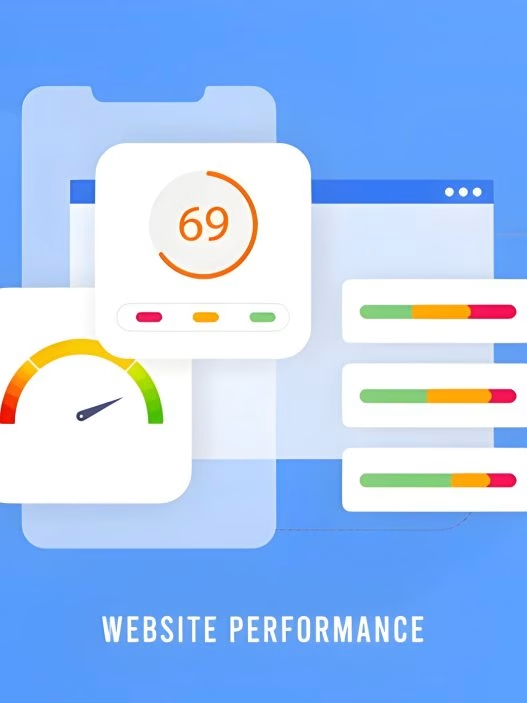
- Google PageSpeed Insights: This tool provides an overall performance score and specific metrics for Core Web Vitals. It’s user-friendly and gives actionable recommendations.
- Google Search Console: The Core Web Vitals report in Search Console shows how your pages perform based on real-world usage data (field data).
- Lighthouse: This open-source, automated tool for improving web page quality can be run against any web page. It provides audits for performance, accessibility, progressive web apps, and more.
- Chrome DevTools: The Performance panel in Chrome DevTools can help you analyze runtime performance.
- Web Vitals Chrome Extension: This extension measures the Core Web Vitals in real-time as you browse the web.
- Chrome User Experience Report: This report provides user experience metrics for how real-world Chrome users experience popular destinations on the web.
Using these tools regularly can help you keep track of your Core Web Vitals and identify areas for improvement. Remember, optimization is an ongoing process, not a one-time task!
How to Improve Core Web Vitals
Alright, now we’re getting to the good stuff! You know what Core Web Vitals are, why they’re important, and how to measure them. But how do you actually improve them? Let’s break it down step by step.
Improving LCP (Largest Contentful Paint)
- Optimize your images:
- Compress images without sacrificing quality
- Use modern image formats like WebP
- Implement lazy loading for images below the fold
- Minimize CSS:
- Remove unnecessary styles
- Minify your CSS files
- Consider inline critical CSS
- Optimize your server:
- Upgrade your hosting if necessary
- Implement server-side caching
- Use a Content Delivery Network (CDN)
Improving FID (First Input Delay)
- Optimize JavaScript:
- Minimize or defer JavaScript
- Remove unused JavaScript
- Break up long tasks into smaller, asynchronous tasks
- Optimize CSS:
- Remove unused CSS
- Minify CSS files
- Defer non-critical CSS
- Implement caching:
- Use browser caching
- Implement service workers for offline functionality
Improving CLS (Cumulative Layout Shift)
- Set size attributes for media:
- Always include width and height attributes on images and video elements
- Use aspect ratio boxes for responsive design
- Be careful with ads and embeds:
- Reserve space for ads in your layout
- Use placeholder space for embeds that load dynamically
- Optimize web fonts:
- Preload important fonts
- Use
font-display: optionalto prevent layout shift caused by font loading
Remember, improving Core Web Vitals is an ongoing process. Keep monitoring your metrics and making adjustments as needed. Your users (and Google) will thank you for it!
Common Challenges in Optimizing Core Web Vitals
As you embark on your Core Web Vitals optimization journey, you might encounter some roadblocks. Don’t worry, it’s completely normal! Let’s look at some common challenges and how to overcome them:
- Large, complex websites:
- Challenge: The more pages you have, the more daunting the task of optimization becomes.
- Solution: Start with your most important pages and gradually work your way through the site. Use tools like Google Search Console to prioritize pages with poor Core Web Vitals scores.
- Third-party scripts:
- Challenge: Many third-party scripts (like ads or analytics) can negatively impact your Core Web Vitals.
- Solution: Audit your third-party scripts regularly. Remove any that aren’t essential, and optimize the loading of those that are.
- Legacy code and technical debt:
- Challenge: Older websites might have accumulated inefficient code over time.
- Solution: Consider a gradual refactoring process. Start with the most problematic areas and work your way through the site.
- Mobile optimization:
- Challenge: Core Web Vitals often perform differently on mobile devices compared to desktop.
- Solution: Always test on multiple devices and use mobile-first design principles.
- Balancing visual appeal with performance:
- Challenge: Sometimes, design elements that look great can negatively impact Core Web Vitals.
- Solution: Work closely with designers to find a balance between aesthetics and performance. Often, there are ways to achieve similar visual effects with more efficient code.
Remember, Rome wasn’t built in a day, and neither is a perfectly optimized website. Be patient, persistent, and celebrate small victories along the way!
Integrating Core Web Vitals into Your SEO Strategy
Now that you’re a Core Web Vitals guru, it’s time to integrate these metrics into your broader SEO strategy. After all, SEO isn’t just about keywords anymore – it’s about providing the best possible user experience. Here’s how you can make Core Web Vitals a key part of your SEO efforts:
- Make Core Web Vitals a priority: Include Core Web Vitals optimization in your regular SEO audits and reports.
- Educate your team: Ensure that everyone involved in your website – from developers to content creators – understands the importance of Core Web Vitals.
- Set performance budgets: Establish clear guidelines for page speed, file sizes, and other performance metrics.
- Monitor regularly: Use tools like Google Search Console to keep an eye on your Core Web Vitals performance over time.
- Optimize for mobile: With mobile-first indexing, it’s crucial that your Core Web Vitals perform well on mobile devices.
- Balance with other SEO factors: While Core Web Vitals are important, don’t neglect other aspects of SEO like quality content, backlinks, and proper site structure.
- Use Core Web Vitals as a competitive advantage: If your competitors aren’t optimizing for these metrics, this could be your chance to outrank them!
Remember, SEO is a marathon, not a sprint. Consistently working on your Core Web Vitals alongside your other SEO efforts will pay off in the long run with better rankings and happier users.

Author