






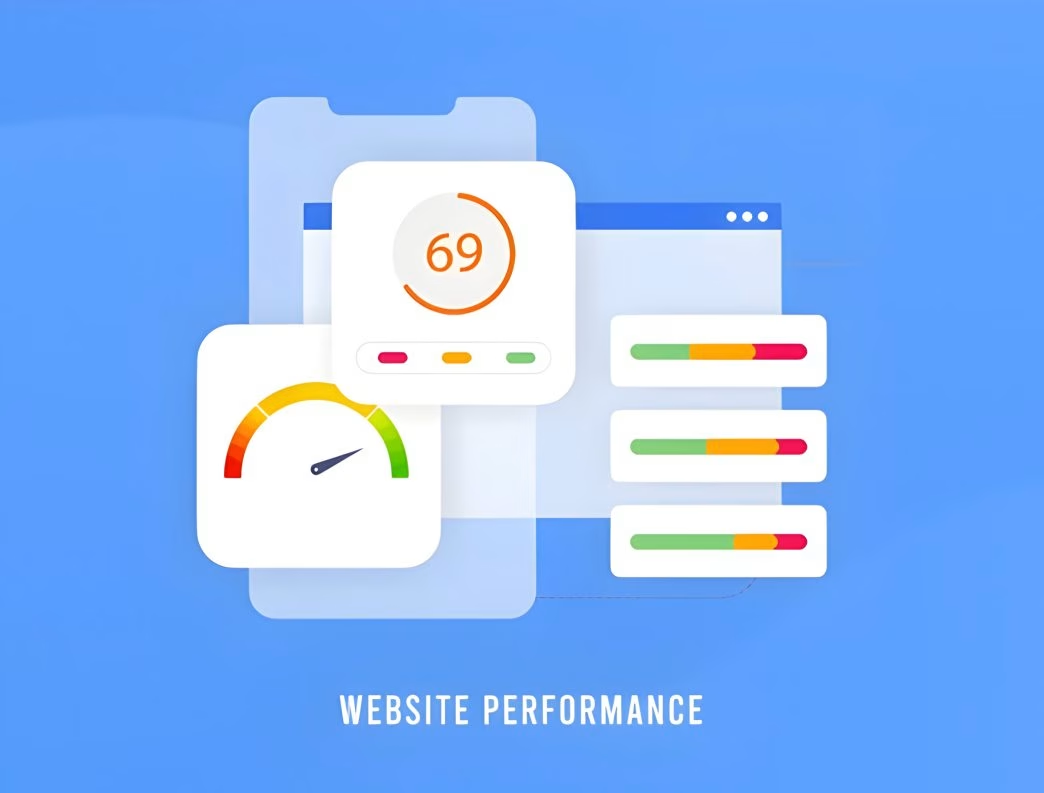
In today’s fast-paced digital world, every second counts. When it comes to websites, speed isn’t just a luxury—it’s a necessity. Users expect lightning-fast load times, and search engines reward speedy sites with better rankings.
That’s where page speed optimization comes into play. It’s not just about making your site faster; it’s about creating an experience that keeps visitors glued to their screens and coming back for more.
In this comprehensive guide, we’ll dive deep into the world of page speed optimization, exploring techniques that’ll have your website zooming past the competition. We’ll cover everything from the basics to advanced strategies, giving you the tools you need to create a site that’s not just fast, but blazing fast. So, buckle up and get ready to turbocharge your website!
Page Speed Optimization: Techniques to Improve Loading Times and User Experience
Let’s kick things off with the heart of the matter. Page speed optimization is all about fine-tuning your website to load faster and provide a smoother user experience. It’s like giving your site a tune-up and a nitro boost all at once. But why is it so crucial?
Well, for starters, faster sites keep visitors happy. Nobody likes waiting around for a page to load—it’s like watching paint dry, only less exciting. A speedy site means lower bounce rates, higher engagement, and ultimately, more conversions. Plus, search engines like Google have made it clear that site speed is a ranking factor.
So, if you want to climb those search results, you’ve got to put the pedal to the metal. Now, let’s break down some key techniques to get your site racing:
- Optimize images: Compress those hefty image files without sacrificing quality.
- Minify CSS, JavaScript, and HTML: Strip out unnecessary characters to streamline your code.
- Leverage browser caching: Let visitors’ browsers store some of your site’s elements for faster future loads.
- Use a Content Delivery Network (CDN): Distribute your content across multiple servers worldwide for quicker access.
- Enable Gzip compression: Shrink your files before sending them to browsers.
These are just the tip of the iceberg. As we dive deeper, you’ll discover even more ways to supercharge your site’s speed.
The Need for Speed: Why Page Load Time Matters
You might be wondering, “Is all this fuss about speed really necessary?” Well, let me tell you, it’s not just necessary—it’s critical. In the digital realm, speed is king, and here’s why:
User Experience and Engagement
Imagine you’re in a hurry to find some information, and you click on a website that takes ages to load. Frustrating, right? That’s exactly how your visitors feel when your site crawls along. Studies show that 53% of mobile users will abandon a site that takes longer than 3 seconds to load. Yikes!
A fast-loading site, on the other hand, keeps users engaged. They can quickly find what they’re looking for, navigate smoothly, and have an overall pleasant experience. This positive interaction increases the likelihood of them sticking around, exploring more pages, and maybe even making a purchase or signing up for your newsletter.
SEO and Search Rankings
Here’s a little secret: search engines are impatient too. Google has explicitly stated that site speed is a ranking factor for both desktop and mobile searches. Why? Because Google wants to provide the best possible results to its users, and a slow site doesn’t cut it.
By optimizing your page speed, you’re not just pleasing your visitors—you’re also sending positive signals to search engines. This can lead to better rankings, increased visibility, and more organic traffic. It’s like hitting two birds with one stone!
Conversion Rates and Business Impact
Let’s talk business. At the end of the day, your website is there to serve a purpose, whether it’s selling products, generating leads, or sharing information. And guess what? Page speed has a direct impact on your bottom line.
According to a study by Portent, site conversion rates drop by an average of 4.42% with each additional second of load time (between seconds 0-5). That’s a significant chunk of potential business slipping through your fingers just because your site is a bit sluggish.
By optimizing your page speed, you’re not just improving user experience—you’re potentially boosting your conversion rates and, ultimately, your revenue. It’s an investment that can pay off big time in the long run.
The Technical Side: Understanding Page Speed Metrics
Alright, let’s get our geek on for a moment. To truly master page speed optimization, you need to understand the metrics that matter. It’s like learning to read the speedometer and gauges of a high-performance car. Here are some key metrics to keep an eye on:
Time to First Byte (TTFB)
This measures how long it takes for a browser to receive the first byte of data from your server. A low TTFB indicates a responsive server and is crucial for overall page load time.
First Contentful Paint (FCP)
FCP marks the time at which the first text or image is painted on the screen. It’s all about that crucial first impression—how quickly can users start seeing your content?
Largest Contentful Paint (LCP)
This metric measures when the largest content element in the viewport becomes visible. It’s a key indicator of perceived load speed and is one of Google’s Core Web Vitals.
Cumulative Layout Shift (CLS)
CLS measures visual stability, quantifying how much unexpected layout shift occurs during the loading phase. Nobody likes it when elements jump around as they’re trying to read or click something!
Total Blocking Time (TBT)
TBT measures the total amount of time between FCP and Time to Interactive (TTI) where the main thread was blocked for long enough to prevent input responsiveness.
Understanding these metrics is crucial because they give you a comprehensive view of your site’s performance. They help you identify specific areas for improvement and measure the impact of your optimization efforts.
Tools of the Trade: Essential Resources for Speed Optimization
Now that we’ve covered the why and what of page speed optimization, let’s talk about the how. Specifically, let’s look at some indispensable tools that’ll help you diagnose issues and track your progress:
Google PageSpeed Insights
This free tool from Google provides an overall performance score for both mobile and desktop versions of your site. It offers specific recommendations for improvement and even separates them into “Opportunities” and “Diagnostics” for easier prioritization.
GTmetrix
GTmetrix gives you detailed insights into your page’s performance, including a breakdown of load times for different elements. It also provides actionable recommendations and allows you to compare your site’s performance against others.
WebPageTest
For those who want to dive deep into the technical aspects, WebPageTest offers incredibly detailed performance reports. You can test from multiple locations and under various network conditions.
Chrome DevTools
Built right into the Chrome browser, DevTools provides a wealth of information about your site’s performance. The Network and Performance tabs are particularly useful for identifying bottlenecks and slow-loading resources.
Lighthouse
Another tool from Google, Lighthouse, is an open-source, automated tool for improving the quality of web pages. It provides audits for performance, accessibility, progressive web apps, and more.
These tools are like your trusty mechanic’s diagnostic equipment. They’ll help you pinpoint exactly what’s slowing your site down and guide you towards the most effective optimizations.
Image Optimization: The Big Picture
When it comes to page speed optimization, images often present the biggest opportunity for improvement. They’re usually the largest files on a page, and if not properly optimized, can significantly slow down your site. But fear not! With the right techniques, you can have stunning visuals without the speed penalty.
Compression: Squeezing Out the Excess
Image compression is your first line of defense against bloated file sizes. It’s like putting your images on a diet, trimming away unnecessary data without sacrificing quality. There are two types of compression:
- Lossy compression: This method removes some data from the image, resulting in a smaller file size but potentially lower quality.
- Lossless compression: This technique reduces file size without losing any quality, but the reduction is usually less dramatic than lossy compression.
Tools like TinyPNG, JPEGmini, or Squoosh can help you compress images effectively. The key is finding the right balance between file size and visual quality.
Choosing the Right Format
Not all image formats are created equal. Choosing the right format can make a big difference in file size:
- JPEG: Best for photographs and images with lots of colors.
- PNG: Ideal for images that need transparency or have large areas of solid colors.
- WebP: A modern format that offers better compression than JPEG or PNG for both lossy and lossless compression.
- SVG: Perfect for logos, icons, and other graphics that need to scale without losing quality.
Responsive Images
One size doesn’t fit all, especially when it comes to images on the web. Responsive images ensure that users download only the image size they need based on their device’s screen size. This can be achieved using the srcset attribute in HTML:
xml<img srcset="small.jpg 300w,
             medium.jpg 600w,
             large.jpg 1200w"
     sizes="(max-width: 300px) 300px,
            (max-width: 600px) 600px,
            1200px"
     src="fallback.jpg" alt="Responsive image">
Lazy Loading
Why load images that users can’t see yet? Lazy loading defers the loading of off-screen images until the user scrolls to them. This can significantly speed up initial page load times. Modern browsers support native lazy loading with the loading="lazy" attribute:
xml<img src="image.jpg" loading="lazy" alt="Lazy loaded image">
By implementing these image optimization techniques, you can dramatically reduce your page load times without compromising on visual appeal. It’s like having your cake and eating it too!
Minification and Compression: Trimming the Fat
When it comes to page speed optimization, every byte counts. Minification and compression are two powerful techniques that can significantly reduce the size of your website’s files, leading to faster load times and improved user experience.
Minification: Less is More
Minification is the process of removing unnecessary or redundant data from your code without affecting how it’s processed by the browser. This includes:
- Removing white space, comments, and formatting
- Shortening variable and function names
- Combining multiple files into one
Here’s an example of JavaScript before and after minification:
Before:
javascriptfunction greetUser(name) {
    console.log("Hello, " + name + "! Welcome to our website.");
}
After:
javascriptfunction greetUser(n){console.log("Hello, "+n+"! Welcome to our website.")}
Tools like UglifyJS for JavaScript, css nano for CSS, and HTML Minifier for HTML can automate this process for you.
Gzip Compression: Squeezing It All In
While minification reduces file size by removing unnecessary characters, Gzip compression takes it a step further by compressing the entire file. It’s like putting your website files in a zip folder before sending them to the browser.
Gzip can reduce the size of text-based files (HTML, CSS, JavaScript) by up to 70-90%! Most modern web servers and browsers support Gzip compression out of the box. You just need to enable it on your server. For Apache servers, you can enable Gzip by adding the following to your .htaccess file:
text<IfModule mod_deflate.c>
  AddOutputFilterByType DEFLATE text/html text/plain text/xml text/css text/javascript application/javascript
</IfModule>
For Nginx, add this to your server block:
textgzip on;
gzip_types text/plain text/css application/json application/javascript text/xml application/xml application/xml+rss text/javascript;
By implementing both minification and compression, you’re essentially putting your website on a strict diet, shedding unnecessary weight and allowing it to zip through the internet at lightning speed!
Caching: The Speed Demon’s Best Friend
If page speed optimization is a race, then caching is like having a pit crew that can instantly swap out parts of your car. It’s a powerful technique that can dramatically improve your website’s performance by storing frequently accessed data for quick retrieval.
Browser Caching: Your Local Speed Boost
Browser caching allows a user’s browser to store certain files locally, so it doesn’t have to download them every time they visit your site. This is particularly useful for static assets like images, CSS, and JavaScript files that don’t change often. To enable browser caching, you need to set the appropriate HTTP headers. For Apache servers, you can add the following to your .htaccess file:
text<IfModule mod_expires.c>
  ExpiresActive On
  ExpiresByType image/jpg "access plus 1 year"
  ExpiresByType image/jpeg "access plus 1 year"
  ExpiresByType image/gif "access plus 1 year"
  ExpiresByType image/png "access plus 1 year"
  ExpiresByType text/css "access plus 1 month"
  ExpiresByType application/pdf "access plus 1 month"
  ExpiresByType text/x-javascript "access plus 1 month"
  ExpiresByType application/javascript "access plus 1 month"
  ExpiresByType application/x-shockwave-flash "access plus 1 month"
  ExpiresByType image/x-icon "access plus 1 year"
  ExpiresDefault "access plus 2 days"
</IfModule>
Server-Side Caching: Turbocharging Your Backend
Server-side caching involves storing dynamically generated content (like database queries or API responses) on the server. This way, when a user requests a page, the server can quickly serve the cached version instead of regenerating everything from scratch.
Popular content management systems like WordPress have various caching plugins available. For custom applications, you might use caching systems like Redis or Memcached. Here’s a simple example of server-side caching in PHP:
php<?php
$cache_file = 'cached_page.html';
$cache_time = 3600; // 1 hour

if (file_exists($cache_file) && time() - $cache_time < filemtime($cache_file)) {
    readfile($cache_file);
    exit;
}

ob_start();
// Your page content goes here
$page_content = ob_get_contents();
ob_end_clean();

file_put_contents($cache_file, $page_content);
echo $page_content;
?>
CDN Caching: Spreading the Speed Globally
A Content Delivery Network (CDN) takes caching to a global scale. It stores copies of your site’s static assets on servers around the world, serving them to users from the nearest geographical location. This not only improves load times but also reduces the load on your main server.
Popular CDN providers include Cloudflare, Amazon CloudFront, and Fastly. Implementing a CDN can be as simple as changing your DNS settings to point to the CDN’s servers. By leveraging these caching techniques, you’re essentially creating shortcuts for your website’s data to reach users faster. It’s like having a network of express lanes dedicated to your site’s traffic!
Content Delivery Networks (CDNs): Going the Extra Mile
When it comes to page speed optimization, sometimes you need to think beyond your own server. That’s where Content Delivery Networks (CDNs) come in. They’re like having a team of speedy couriers stationed around the world, ready to deliver your website’s content at a moment’s notice.
How CDNs Work Their Magic
A CDN is a network of servers distributed across various locations worldwide. Here’s how they boost your site’s performance:
- Global Distribution: CDNs store copies of your static assets (images, CSS, JavaScript) on multiple servers around the world.
- Proximity Principle: When a user requests your website, the CDN serves the content from the server closest to their geographical location.
- Load Balancing: CDNs distribute the load across multiple servers, preventing any single server from getting overwhelmed.
- Reduced Latency: By serving content from a nearby location, CDNs significantly reduce the time it takes for data to travel between the server and the user.
Implementing a CDN
Setting up a CDN might sound daunting, but it’s often simpler than you might think. Here’s a general process:
- Choose a CDN Provider: Popular options include Cloudflare, Amazon CloudFront, and Fastly.
- Configure Your Domain: Update your DNS settings to point to the CDN’s servers.
- Set Up Origin Pull: Configure the CDN to fetch content from your original server (the “origin”) when needed.
- Define Caching Rules: Specify how long different types of content should be cached on the CDN.
- Test and Monitor: Verify that your content is being served correctly and monitor performance improvements.
CDN Benefits Beyond Speed
While speed is the primary benefit, CDNs offer other advantages:
- Improved Reliability: If one server goes down, others can take over.
- Enhanced Security: Many CDNs offer DDoS protection and other security features.
- Reduced Bandwidth Costs: By offloading traffic from your main server, you can save on bandwidth costs.
Implementing a CDN is like giving your website a global presence, ensuring that no matter where your users are, your content is just a short hop away.
JavaScript and CSS Optimization: Streamlining Your Code
When it comes to page speed optimization, your JavaScript and CSS files can be either your best friends or your worst enemies. These files are essential for functionality and style, but if not optimized, they can significantly slow down your site. Let’s dive into some techniques to make your code lean and mean.
Minification: Trimming the Fat
We touched on this earlier, but it’s worth emphasizing. Minification removes unnecessary characters from your code without changing its functionality. This includes:
- Removing white space and line breaks
- Shortening variable and function names
- Removing comments
For example, this CSS:
css.button {
    background-color: #007bff;
    color: #ffffff;
    padding: 10px 20px;
    border-radius: 5px;
}
Could be minified to:
css.button{background-color:#007bff;color:#fff;padding:10px 20px;border-radius:5px}
Concatenation: Joining Forces
Instead of loading multiple small files, combine them into fewer, larger files. This reduces the number of HTTP requests, which can significantly improve load times. For example, instead of:
xml<link rel="stylesheet" href="header.css">
<link rel="stylesheet" href="main.css">
<link rel="stylesheet" href="footer.css">
You’d have:
xml<link rel="stylesheet" href="styles.css">
Where styles.css contains the contents of all three original files.
Asynchronous Loading: Multitasking for Speed
By default, when a browser encounters a script tag, it stops parsing the HTML until the script is downloaded and executed. This can slow down page rendering. Using the async or defer attributes allows the browser to continue parsing HTML while the script loads:
xml<script src="script.js" async></script>
Code Splitting: Loading on Demand
For large applications, consider code splitting. This technique involves breaking your code into smaller chunks and loading them only when needed. Modern JavaScript frameworks like React and Vue have built-in support for code splitting.
Critical CSS: First Things First
Identify the CSS required to render the above-the-fold content and inline it in the <head> of your HTML. This ensures that the most important styles are applied immediately, without waiting for external CSS files to load.
xml<head>
  <style>
    /* Critical CSS goes here */
    body { font-family: Arial, sans-serif; }
    .header { background-color: #f8f9fa; }
  </style>
</head>
Tree Shaking: Removing Dead Weight
For JavaScript, use a bundler like Webpack that supports tree shaking. This process eliminates unused code from your final bundle, reducing its size.
By implementing these optimization techniques, you’re essentially giving your code a performance makeover. It’s like turning your bulky SUV into a sleek sports car—same functionality, but much faster!
Server Optimization: Tuning Your Engine
When it comes to page speed optimization, your server is like the engine of a car. No matter how aerodynamic and lightweight you make the body, if the engine isn’t tuned properly, you’re not going to win any races. Let’s dive into some key techniques for optimizing your server performance.
Choose the Right Hosting
Your hosting provider and plan can make a huge difference in your site’s speed. Shared hosting might be cheap, but it’s like sharing a single engine among multiple cars. Consider upgrading to VPS (Virtual Private Server) or dedicated hosting for better performance.
Enable HTTP/2
HTTP/2 is a major revision of the HTTP network protocol used by the World Wide Web. It includes several features that can significantly improve page load times:
- Multiplexing: Allows multiple requests to be sent in parallel over a single TCP connection
- Header compression: Reduces overhead
- Server push: Allows the server to send resources to the client before they’re explicitly requested
To enable HTTP/2 on Apache, you can use:
textProtocols h2 http/1.1
For Nginx:
textlisten 443 ssl http2;
Optimize Database Queries
Slow database queries can be a major bottleneck. Here are some tips:
- Use indexes on frequently queried columns
- Avoid using
SELECT *and only retrieve the columns you need - Use caching to store the results of complex queries
Here’s an example of adding an index in MySQL:
sqlCREATE INDEX idx_username ON users(username);
Implement Server-Side Caching
We touched on this earlier, but it’s worth emphasizing. Server-side caching can dramatically reduce the load on your server by storing the results of complex operations. For example, in PHP with Redis:
php<?php
$redis = new Redis();
$redis->connect('127.0.0.1', 6379);

$cacheKey = 'user_profile_' . $userId;
$cachedProfile = $redis->get($cacheKey);

if ($cachedProfile === false) {
    $profile = fetchUserProfileFromDatabase($userId);
    $redis->set($cacheKey, serialize($profile), 3600); // Cache for 1 hour
} else {
    $profile = unserialize($cachedProfile);
}
?>
Use a Reverse Proxy
A reverse proxy like Nginx can handle tasks such as SSL termination, caching, and load balancing, taking some of the load off your application server. Here’s a basic Nginx configuration as a reverse proxy:
textserver {
    listen 80;
    server_name example.com;

    location / {
        proxy_pass http://localhost:8080;
        proxy_set_header Host $host;
        proxy_set_header X-Real-IP $remote_addr;
    }
}
Keep Your Software Updated
Regularly update your server software, including the operating system, web server, database, and any other components. These updates often include performance improvements and security patches.
By implementing these server optimization techniques, you’re essentially fine-tuning your website’s engine. It’s like upgrading from a standard engine to a high-performance racing engine—your site will be ready to leave the competition in the dust!
Mobile Optimization: Speed on the Go
In today’s mobile-first world, optimizing your website for mobile devices isn’t just an option—it’s a necessity. Mobile users often face slower network speeds and less powerful devices, making page speed optimization even more crucial. Let’s explore some techniques to ensure your site zips along on mobile devices.
Responsive Design: One Size Fits All
Responsive design ensures your site looks and performs well on all screen sizes. Use CSS media queries to adjust your layout based on the device’s screen size:
css@media screen and (max-width: 600px) {
  .column {
    width: 100%;
  }
}
Mobile-First Approach
Start your design process with mobile devices in mind, then progressively enhance for larger screens. This ensures that mobile users get the essentials without unnecessary bloat.
Optimize Touch Targets
Ensure buttons and links are large enough and spaced adequately for easy tapping on small screens. Google recommends a minimum touch target size of 48×48 pixels.
Minimize Resource-Heavy Elements
Avoid using large images, videos, or complex animations that can slow down mobile devices. If you must use them, consider lazy loading or providing mobile-specific versions.
Use AMP (Accelerated Mobile Pages)
Google’s AMP project provides a framework for creating ultra-fast mobile pages. While it has some limitations, it can significantly boost your mobile performance. Here’s a basic AMP HTML structure:
xml<!doctype html>
<html amp lang="en">
  <head>
    <meta charset="utf-8">
    <script async src="https://cdn.ampproject.org/v0.js"></script>
    <title>Hello AMP World</title>
    <link rel="canonical" href="https://example.com/article.html">
    <meta name="viewport" content="width=device-width,minimum-scale=1,initial-scale=1">
    <style amp-boilerplate>body{-webkit-animation:-amp-start 8s steps(1,end) 0s 1 normal both;-moz-animation:-amp-start 8s steps(1,end) 0s 1 normal both;-ms-animation:-amp-start 8s steps(1,end) 0s 1 normal both;animation:-amp-start 8s steps(1,end) 0s 1 normal both}@-webkit-keyframes -amp-start{from{visibility:hidden}to{visibility:visible}}@-moz-keyframes -amp-start{from{visibility:hidden}to{visibility:visible}}@-ms-keyframes -amp-start{from{visibility:hidden}to{visibility:visible}}@-o-keyframes -amp-start{from{visibility:hidden}to{visibility:visible}}@keyframes -amp-start{from{visibility:hidden}to{visibility:visible}}</style><noscript><style amp-boilerplate>body{-webkit-animation:none;-moz-animation:none;-ms-animation:none;animation:none}</style></noscript>
  </head>
  <body>
    <h1>Hello AMP World!</h1>
  </body>
</html>
By focusing on mobile optimization, you’re ensuring that your site performs well for a large and growing segment of your audience. It’s like making sure your car runs smoothly on all types of roads, not just on perfect highways.
Monitoring and Continuous Improvement: Keeping Your Site in Top Gear
Page speed optimization isn’t a one-time task—it’s an ongoing process. Just as a race car needs constant tuning and maintenance, your website needs regular monitoring and optimization to stay ahead of the pack. Let’s explore some strategies for keeping your site running at peak performance.
Regular Performance Audits
Schedule regular performance audits using tools like Google PageSpeed Insights, GTmetrix, or WebPageTest. These tools can help you identify new issues and opportunities for improvement.
Real User Monitoring (RUM)
While synthetic tests are useful, nothing beats data from real users. Implement RUM to gather performance data from actual visitors to your site. Tools like Google Analytics or more specialized solutions like New Relic can help with this.
Set Up Alerts
Configure alerts to notify you when your site’s performance drops below certain thresholds. This allows you to address issues quickly before they impact too many users.
A/B Testing
When implementing new optimizations, use A/B testing to measure their impact. This can help you make data-driven decisions about which optimizations to keep and which to discard.
Stay Informed
Keep up with the latest trends and best practices in web performance. Follow industry blogs, attend webinars, and participate in web development communities.
Automate Where Possible
Use tools and scripts to automate routine optimization tasks. For example, you could set up a build process that automatically minifies and compresses your assets.
Regular Code Reviews
Conduct regular code reviews with a focus on performance. This can help catch performance-degrading code before it makes it to production.By implementing these monitoring and improvement strategies, you’re ensuring that your site doesn’t just start fast, but stays fast over time. It’s like having a dedicated pit crew constantly fine-tuning your race car, keeping it in top condition for every race.
Conclusion: Racing Ahead in the Digital Fast Lane
In the high-speed world of the internet, every millisecond counts. Page speed optimization is not just about making your site faster—it’s about creating a better user experience, improving your search engine rankings, and ultimately, driving more conversions and revenue.
We’ve covered a lot of ground in this guide, from the basics of why speed matters to advanced techniques for squeezing every last bit of performance out of your site. Remember, page speed optimization is an ongoing process. The web is constantly evolving, and what’s fast today might be slow tomorrow.
By implementing the techniques we’ve discussed—from image optimization and code minification to server tuning and mobile optimization—you’re putting your website in the fast lane. But don’t stop there. Keep monitoring, keep testing, and keep optimizing. Your users (and your bottom line) will thank you. So, are you ready to turbocharge your website? The race is on, and with these page speed optimization techniques in your toolkit, you’re well-equipped to leave your competition in the dust. Happy optimizing!

Author